
eRacks Systems Tech Blog
Open Source Experts Since 1999
The Hypervisor We Left Out: KVM on Ubuntu, Since 2007
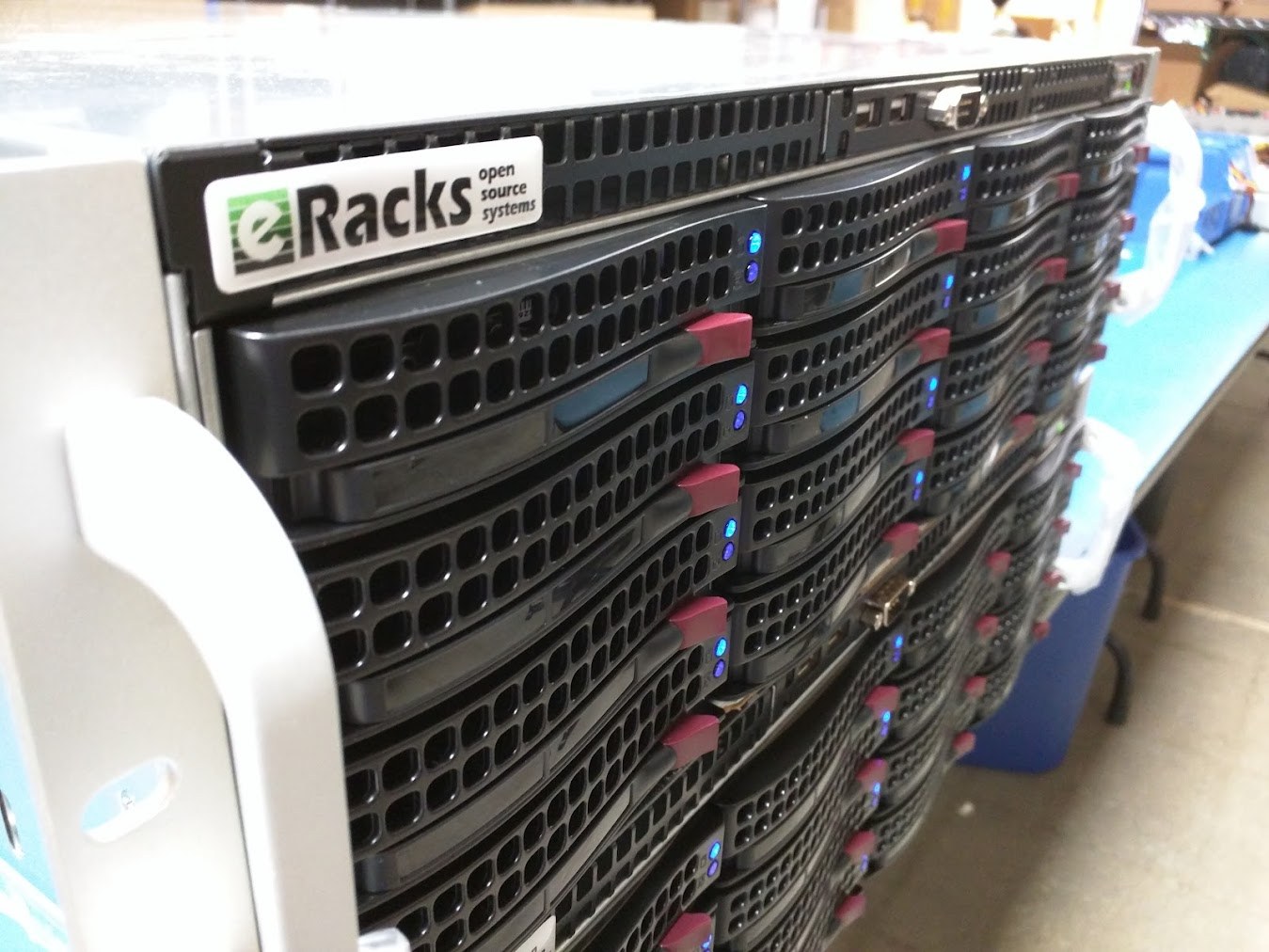
Last week we posted about IncusOS, the new immutable operating system built around Incus, and we named the hypervisors people compare it with: Proxmox, XCP-ng, ESXi. A reader could come away thinking those four are the menu. We left out the one we have recommended, installed and run ourselves since 2007. That is KVM, the Kernel-based Virtual Machine, on Ubuntu. This post is the correction, and the reasons.
KVM is the kernel, not a product
A hypervisor is the layer that lets one physical machine run several virtual machines (VMs), each with its own operating system. KVM is unusual among hypervisors because it is not a separate operating system you install under Linux. It is part of Linux. It arrived in kernel 2.6.20, released on 5 February 2007, as a driver for the hardware virtualization extensions in Intel and AMD processors, and it has shipped in every mainline kernel since. Ubuntu, Debian, Red Hat, SUSE and the rest carry it; QEMU provides the machine emulation around it. libvirt, with virsh and virt-manager, is the management layer most guides assume on top of that pair, and we will come back to it.
That placement matters more than any feature list. The virtualization code gets the same scrutiny, the same security updates and the same hardware enablement as the kernel it lives in. When a new processor generation lands, KVM support tends to land with it, in the same release. There is no second vendor to wait on and no second support contract.
The products you compare are mostly KVM underneath
This is the part the comparison lists hide. Proxmox VE runs its virtual machines on KVM and QEMU; its containers use LXC. Incus, the runtime that IncusOS exists to run, uses QEMU and KVM for its virtual machines as well. When people weigh Proxmox against IncusOS, they are choosing a management layer, an update model and a community. The hypervisor doing the work is the same kernel module in both cases. ESXi is the exception on that list: it brings its own kernel, and since the licensing changes of the last two years it is also the one people are most often asking us how to leave.
So the honest version of “which hypervisor” for most of our customers is “which management layer on top of KVM”. Proxmox gives you a web console, clustering and a large community. IncusOS gives you an appliance: an immutable image with A/B partitions for atomic updates and rollback, UEFI Secure Boot and TPM 2.0 measurements, disk encryption backed by the TPM, a stable channel that updates at least weekly and a testing channel that updates daily, and a Migration Manager for moving machines off VMware. Plain Ubuntu Server with KVM, libvirt and cockpit gives you the least opinionated option of the three: a general purpose Linux you already know how to administer, that also happens to be an excellent hypervisor host.
Why we default to Ubuntu plus KVM
We build custom Linux rackmount servers, and most of them leave here as virtualization hosts of one kind or another. Our default recommendation has been Ubuntu with KVM for a long time, for reasons that have not changed much:
- One system to know. The host is a normal Ubuntu Server. Storage (ZFS or LVM, your choice), networking (a bridge, or Open vSwitch when you need it), backups, monitoring and updates are the same tools you use everywhere else. Nothing about the hypervisor is a separate skill.
- Long term support with dates on it. Ubuntu LTS releases carry five years of standard support, ten with Ubuntu Pro. A virtualization host is exactly the kind of machine you want to leave alone for years.
- Hardware enablement on the kernel’s schedule. New CPUs, new NICs, new NVMe controllers: KVM support arrives with the kernel, and Ubuntu’s hardware enablement kernels bring it to the LTS release you are already on.
- No lock in and no license event. Everything in the stack is open source. There is no per socket fee, no feature tier and no vendor that can change the terms under you. The last two years of virtualization news have been a long argument for that point.
- The management layer is your choice, and it can change later. Cockpit or virt-manager if you like a console, Proxmox or Incus if you want a platform, or nothing but QEMU and a few scripts, which is what we run ourselves. The VM disk images are standard qcow2 or raw files. We have moved machines between all of these without reinstalling a guest.
A note on libvirt
Most KVM guides assume libvirt, so we should say where we stand. We have never liked it. It puts an XML document between you and every machine, and the XML sit-ups1 that come with that obscure and complicate what QEMU is actually doing underneath. We prefer to talk to QEMU directly, through its monitor and console, and our own tooling does exactly that. virsh, libvirt’s command line, became somewhat useful years later, but it still drags libvirt’s baggage behind it, and by the time it did we had long since built what we needed. If you want libvirt on a machine we build, you get it, installed and tested. We will just not pretend to love it.
eVirt: what we run our own machines on
Because we have been doing this since the year KVM landed in the kernel, we ended up with our own small framework for it. We call it eVirt, and the current version is the fourth. It is how our own production web servers, mail servers and lab machines are defined and launched, and it has been in active use internally since 2007. We have not packaged it as a product. We would consider doing that if there is interest, and we can install it now on a consulting basis.
The idea is small on purpose. Each machine is a short YAML file kept next to the project it serves: how much CPU and memory, which disks and how large, which bridge it sits on, and its fixed address. One command turns that file into a running virtual machine: it fetches the Ubuntu cloud image, resizes the disk, seeds the first boot with cloud-init, attaches the network and starts it under KVM, speaking to QEMU’s own monitor rather than going through libvirt. Rebuilding a host is the same command run again, which is how we rehearse and then execute things like a production cutover: the new machine is one entry away, and the address moves in the file. The QEMU guest agent goes into the VMs where we want it; the rest run with no agent at all. Nothing proprietary lives in the image, so a machine built this way is an ordinary Ubuntu VM that any other tool can take over afterwards.
We mention eVirt for one reason: it is the shape of what KVM on Ubuntu makes possible. A tiny layer of automation on top of tools that are already in the distribution gets you reproducible infrastructure without adopting a platform. Plenty of shops arrive at something similar with Terraform providers, Ansible roles or cloud-init alone. The hypervisor underneath is the same.
What we install for customers
If you order a virtualization host from us and do not specify a platform, you get Ubuntu Server LTS with QEMU and KVM installed and tested, ZFS or LVM laid out for VM images, a bridge on the interfaces you name, and the management layer you ask for: libvirt with cockpit or virt-manager, Proxmox, Incus, IncusOS or XCP-ng. Ask about eVirt if you would rather have what we run ourselves. We have no stake in which one you pick; we build the hardware and the storage underneath it, and every one of these runs on hardware we ship today. The only combination we talk people out of is the one that comes with a license invoice they did not ask for.
Questions about a virtualization build, or about moving off a platform you no longer want to pay for? Write to us at info@eracks.com, or start with a quote request.
1 “XML sit-ups” is a famous programming phrase coined around 2004 to 2005 by David Heinemeier Hansson (DHH), the well-known developer and entrepreneur who created Ruby on Rails. It headlined the framework’s original blurb: “Rails is a full-stack, open source web framework in Ruby for writing real-world applications with joy and less code than most frameworks spend doing XML sit-ups” (quoted in XML.com, August 2005). The target was the enterprise software of the day, J2EE and .NET above all, where you mapped databases, wired dependencies and configured every layer in massive, redundant, error-prone XML files before writing a line that did anything, with all the pointless parsing, generation and not-quite-valid states that XML as a configuration format brings. DHH was still using the phrase a decade on, recalling “the practice of 1000s of lines of XML configuration situps that were common at the time” in his 2016 Slashdot interview.
joe September 20th, 2026
Posted In: News, servers, Technology
The Future of Memory, and What It Means for Upgradeability
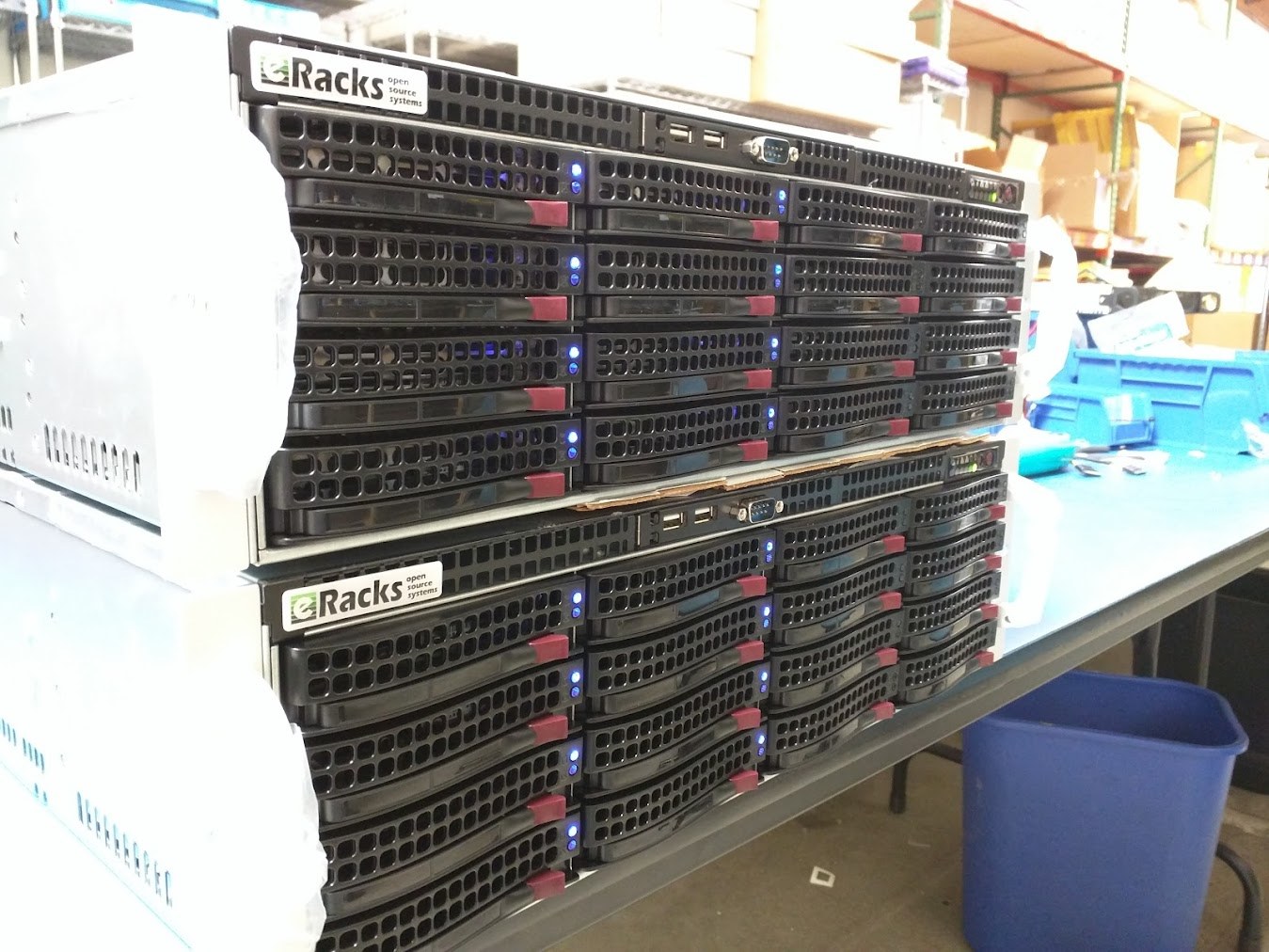
For thirty years the answer to “my machine needs more memory” was the same: open the case, push a stick into an empty slot. That answer is splitting three ways, and the split matters more than the speeds.
Three futures
Sealed. High Bandwidth Memory (HBM) is not a module at all. DRAM dies are stacked on top of each other, wired vertically through the silicon, and mounted on an interposer (a thin silicon layer that carries the wiring) millimeters from the processor, inside the same package. The bus is a thousand bits wide instead of 64, the distance is a fraction of an inch instead of several, and the result is the bandwidth that makes an AI accelerator an AI accelerator. NVIDIA’s H100 and Blackwell parts are built this way, and Intel put HBM on a Xeon (the Xeon Max) for the same reason. The trade is absolute: the memory is soldered into the package, so the amount you buy on day one is the amount you own on day one thousand. The industry name for this kind of assembly, several chips from several processes glued into one package, is System in Package (SiP). Your watch is one. So is the processor in the largest AI clusters.
Flat. JEDEC, the standards body behind every DIMM you have ever installed, published the CAMM2 standard (JESD318) in December 2023. A CAMM2 (Compression Attached Memory Module) is a flat card that screws down onto a bed of contacts instead of standing in a slot, which puts the memory closer to the processor and keeps the signal clean at higher speeds. The low-power version, LPCAMM2, is the interesting one: laptop makers used to solder LPDDR memory to the board to get its speed and battery life, and that killed upgrades. LPCAMM2 puts the same memory on a replaceable card. Lenovo’s ThinkPad P1 Gen 7 ships with up to 64GB of LPCAMM2 at LPDDR5X-7500, and it can be changed with a screwdriver. Desktop CAMM2 boards have been shown by the motherboard makers; volume is still small. The catch is that a CAMM2 is one module carrying both memory channels, so an upgrade means replacing it rather than adding a second stick.
Fabric. In servers, memory is leaving the motherboard. Compute Express Link (CXL) runs over the same physical lanes as PCIe and lets a system treat memory the way it treats a drive: something you add in a slot. A CXL memory expander is a card, or a box, of ordinary DDR5 that the processor sees as more RAM. Current AMD EPYC and Intel Xeon platforms support it, controller silicon is shipping, and the standard has kept moving; the CXL Consortium’s current specification is 4.0. Later revisions describe pooling, where a rack shares one large bank of memory and hands it to whichever server needs it, so capacity stops being stranded inside boxes that are not using it.
Why this is a purchasing question, not a spec-sheet question
We track memory prices every day because we quote servers every day. Measured as the best street price per gigabyte across the major memory lines, March 2026 to September 2026:
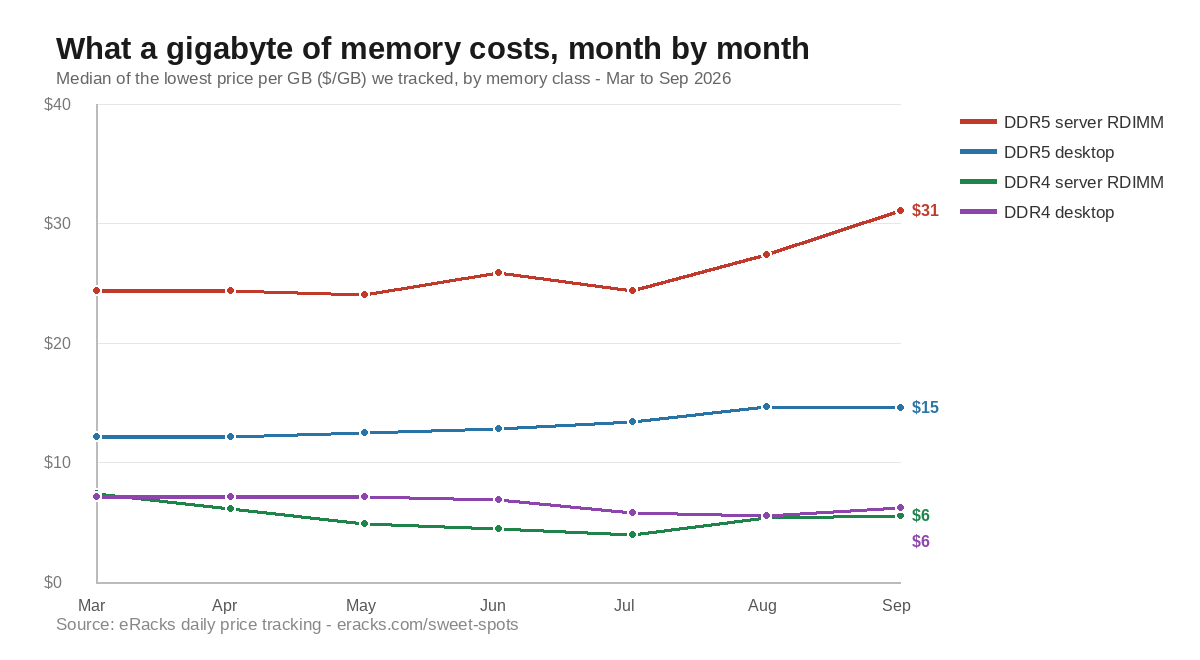
- DDR5 server memory (ECC RDIMM): $24.37 to $31.05 per GB, up 27 percent; the best available price went from $14.17 to $26.75, up 89 percent.
- DDR5 desktop memory: $12.19 to $14.58 per GB, up 20 percent.
- DDR4 server memory (ECC RDIMM): $7.44 to $5.56 per GB, down 25 percent.
- DDR4 desktop memory: $7.19 to $6.22 per GB, down 13 percent.
Two things follow. First, the memory you did not buy in March costs a third more today, and the cheap end of the market has closed up. Second, the previous generation is being liquidated: DDR4 server memory now costs a seventh of DDR5 per gigabyte. For a file server, a backup target, or a build server, where capacity matters and bandwidth does not, a DDR4 platform with its slots filled is the best value on the table this year.
In a sealed design none of this is available to you. You pay the day-one price for the day-one capacity, and a shortage or a glut in the memory market changes nothing about the machine you own. In a slotted design, or a fabric design, the market is your friend as often as your enemy: you buy the slots now, you fill them when the price is right.
What we do about it
Every quote we write shows the board’s slot count next to what the configuration fills, so the upgrade path is visible before the order rather than discovered after it. Some customers max the memory on day one, which is the right call for a machine with a known job; the AMD EPYC 9005 boards we build on carry 24 DIMM slots and up to 6TB, so there is usually room either way. The memory line in every quote is priced at that day’s street price from the same tracking above, so a customer who asks for 256GB today and 512GB in six months pays the market twice, not our guess once. And as CXL memory expanders reach the channel, they are quotable on the EPYC 9005 and Xeon 6 platforms as a third way to add capacity without touching a socket.
Sealed memory is the right design for an accelerator, where bandwidth is the whole point. For everything else, we would rather sell you the slots.
Prices are our own daily tracking of the lowest street price per gigabyte for each major memory line at Newegg, taken as the median across lines in each class; March 2026 versus September 2026.
joe September 17th, 2026
Posted In: News, servers, Technology
Tags: CAMM2, CXL, DDR4, DDR5, ECC RDIMM, EPYC 9005, HBM, memory price tracking, server memory prices, upgradeability
Your AI Server, Your Software Stack: Why eRacks Doesn’t Ship a Custom AI OS
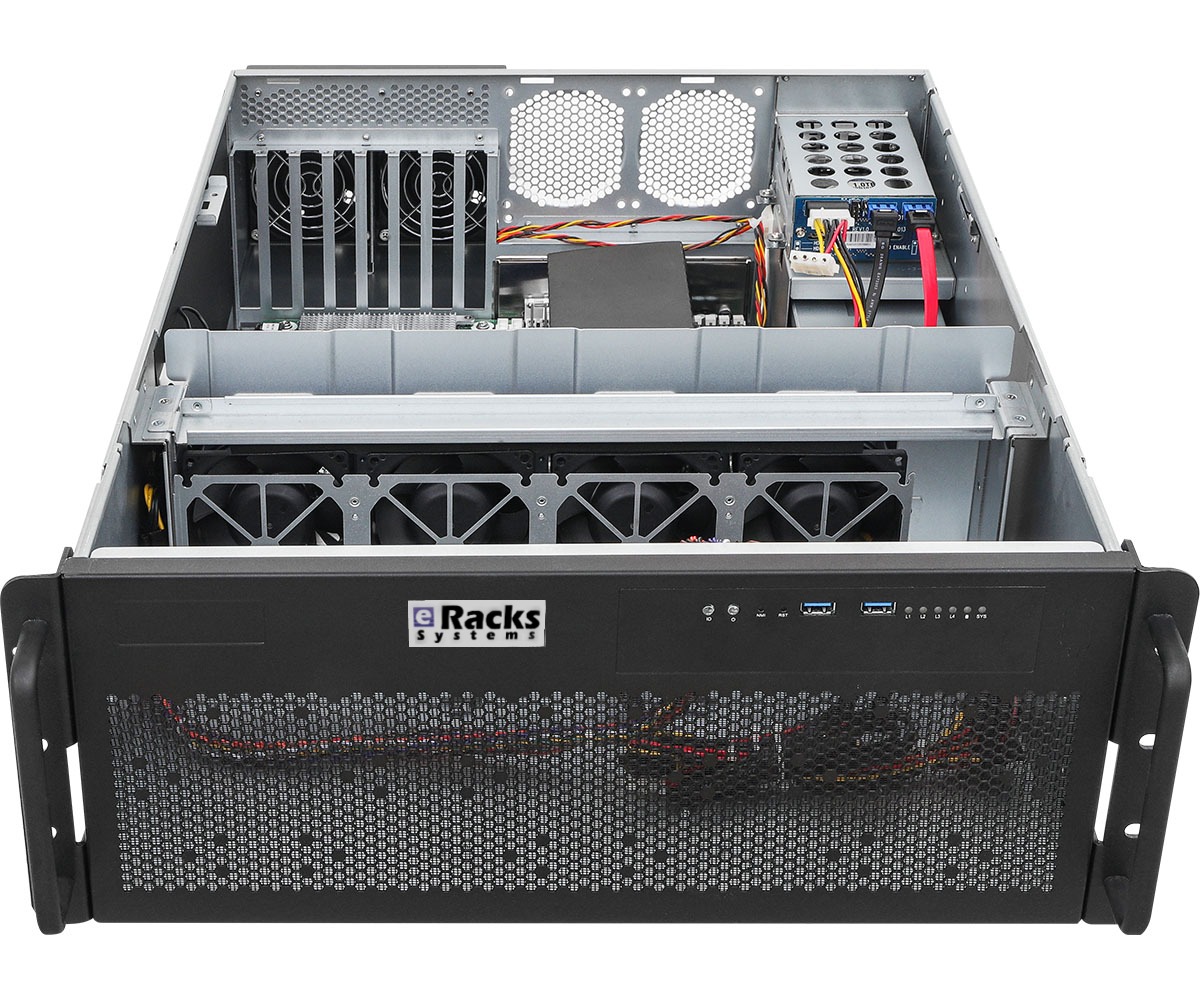
Last week we wrote about the 2026 AI GPU landscape – the hardware story. This week we want to talk about the question that comes right after a buyer picks a GPU: what actually runs on this thing once it’s plugged in?
For a lot of our boutique competitors, the answer is “our proprietary OS, our proprietary management tool, and the AI runtime we picked for you.” That model trades convenience for lock-in. We chose differently. Every eRacks AI server – AILSA, AIDAN, AINSLEY, AISHA – ships with the same software stack: vanilla Ubuntu 26.04 LTS plus a curated set of open-source AI tools, all pre-installed, all standard packages, nothing custom-forked.
What’s actually on the box when it arrives
By default, every AI server ships with:
- Ubuntu 26.04 LTS – standard server install, your team already knows it, supported until 2031.
- Ollama – the easiest local LLM runtime. OpenAI-compatible API. Pull and run any open-weight model with one command (
ollama pull llama4for Llama 4 Scout,ollama pull qwen3,ollama pull deepseek-v3.2, etc.). - Open WebUI – polished self-hosted chat interface. Looks and feels like ChatGPT. Multi-user, works for the whole team out of the box.
- vLLM – production-grade inference engine for high-throughput workloads. PagedAttention, continuous batching, the works.
- PyTorch + CUDA + cuDNN – matched to your installed GPU. Training and custom model work ready to go.
- Docker + NVIDIA Container Toolkit – containerized AI workloads work without setup.
- Standard Linux dev tools – Python 3.12, git, build-essential, tmux, htop, the lot.
That’s the hardware-AI side. On the storage and platform side, you also get the standard eRacks Linux base: ZFS available, SSH hardened, automatic security updates configured, monitoring hooks ready. No surprises, no proprietary agents.
Plug in, open a browser, start chatting
The whole “first 10 minutes” experience looks like this:
- Rack the server, connect ethernet, power on.
- SSH in once with the credentials we ship in the envelope, set your own password.
- Open
http://<server-ip>:3000in any browser on your network. - Open WebUI loads. Click “Sign up” (first user becomes admin), pick a model from the dropdown, start typing.
That’s it. The model list is pre-populated with whatever we sized your GPU for – Llama 4 Scout (17B active, 10M context) on the 48GB tier, Qwen 3 30B / DeepSeek-V3.2 distill on 32GB, Llama 3.1 8B + Mistral on 16GB. You can ollama pull any other model from the Ollama registry or Hugging Face the same day.
Why we chose this stack over building our own
There’s a temptation when you sell hardware to also sell a “platform” – a custom Linux fork, a branded management UI, a vendor-locked update channel. Some of our competitors do this. We don’t, for four reasons:
1. Your team already knows Ubuntu. Every Linux admin in your shop has used Ubuntu. Deploying our box is not a training exercise. Vanilla apt works. Standard systemd. No “did you check the wiki for this version of OurOS” support calls.
2. No vendor lock-in. If we go out of business tomorrow (we’ve been around since 1999, but still), your hardware keeps running on a fully supported open OS. You’re not stranded on an orphaned proprietary stack.
3. Updates are yours to control. When a new version of Ollama drops (which is every couple weeks), or when Meta drops Llama 4.5, or DeepSeek pushes V3.3, you can ollama pull it the same hour it lands. You don’t wait for us to vet it and ship a new firmware bundle.
4. The open-source ecosystem ships faster than any single vendor. Ollama, Open WebUI, vLLM, llama.cpp, the Hugging Face ecosystem – these tools improve weekly. Llama 4, Qwen 3.5, DeepSeek V3.2 all dropped in the last few months and were running on customers’ eRacks boxes within days of release. A vendor stack that re-bundles them is always a release behind. Vanilla Ubuntu lets you ride the open-source release cadence directly.
For teams that want different
That said: if you want a different OS, we’ll ship that too. Customers commonly ask for:
- Debian 12 stable – rock-solid, smaller footprint, similar tooling.
- Rocky Linux 9 / RHEL 9 – for teams standardized on enterprise RHEL.
- Proxmox VE – if you want to virtualize the AI server alongside other workloads.
- Bring your own image – we can boot your custom OS from USB before shipping.
And if you want a different inference stack:
- llama.cpp + llama-server instead of Ollama (more control, smaller dependency footprint)
- Text Generation Inference (Hugging Face’s TGI) for production deployments
- SGLang for advanced structured-output workloads
- LangChain / LlamaIndex stacks for RAG and agents
- JupyterLab + a stack of ML tooling if your buyer is an ML researcher
Tell us what you want at order time and we’ll pre-install it. If you don’t want anything, we’ll ship the bare OS.
The point
The hardware decision (which GPU, how much VRAM, how many drives) is the visible part of buying an AI server. The software decision is the longer-term part – it’s what your team interacts with every day for the next 5-7 years. We think that decision should be yours, on a stack you can fork, audit, replace, and redeploy on commodity hardware if you ever change vendors.
We’ve been shipping open-source Linux servers since 1999. Same approach. New use case.
joe April 20th, 2026
Posted In: AI, Deep Learning, Linux, Open Source, Rackmount Servers, servers
Tags: eRacks, Intel Arc, LLM, Rackmount Servers
The April 2026 AI GPU Landscape: From $349 to $16,500, Which VRAM Fits Your Model?
Last updated April 2026. Prices move weekly — keep checking back.
If you’ve been watching the AI GPU market, you already know the usual tension: NVIDIA dominates mindshare and most of the benchmarks, AMD is cheaper per gigabyte of VRAM but software support lags, and Intel keeps quietly shipping cards that punch well above their price tag but nobody talks about them. Meanwhile the actual hardware question most customers ask us is just: “How much VRAM do I need, and what’s the cheapest card that gets me there?”
This post is our answer as of mid-April 2026. We’ve broken the market into seven VRAM tiers, from the $349 low-profile starter card to a $16,500 datacenter accelerator, and matched each tier to the model sizes it actually runs well. All prices are current street prices, not MSRPs. At the end we’ll tie each tier back to one of our AI servers.
What “VRAM fits my model” actually means
As a rule of thumb for local inference:
- Model weight size ≈ parameters × bytes per weight. A 7B-parameter model at 4-bit quantization needs roughly 3.5–4 GB. The same model in full FP16 precision needs ~14 GB.
- Add 2–4 GB of working memory on top for KV cache, context window, and runtime overhead — more if you want long contexts.
- If your model plus overhead doesn’t fit, you’ll spill to system RAM or disk, and your tokens-per-second drops by an order of magnitude.
So the VRAM tier you need is driven by what you want to run, not by marketing tier names. Here’s how the 2026 market actually lines up.
The seven tiers
| Tier | VRAM | Price range | Models it runs comfortably | Example cards |
|---|---|---|---|---|
| Low-Profile (2U) | 8–16 GB | $320–$450 | 3B–8B quantized, embeddings, small classifiers | RTX 5060 LP, Intel Arc Pro B50, nVidia RTX A1000/A2000 LP |
| Entry | 16 GB | $480–$1,500 | 7B–13B full, 30B quantized | RTX 4060 Ti, RTX 5070 Ti, RTX 5080, AMD RX 9060 XT 16GB, AMD RX 9070 |
| Workstation | 20 GB single-slot | $1,280–$2,500 | 13B full, 34B quantized; quiet, ECC, space-efficient | nVidia RTX A4000 Ada (single-slot), AMD Radeon Pro W7800 32GB |
| Prosumer | 24–32 GB | $2,000–$3,740 | 34B full, 70B quantized | RTX 3090 Ti refurb, AMD RX 7900 XTX, RTX 5090 (availability-dependent) |
| Server | 48 GB | $1,299–$8,800 | 70B full, early 100B class | Intel Arc Pro B60 Dual 48GB, RTX 6000 Ada, NVIDIA L40S (passive), AMD Radeon Pro W7900 |
| Flagship | 96 GB | ~$9,680 | 70B full comfortably, 120B quantized, long-context everything | RTX PRO 6000 Blackwell 96GB ECC |
| Datacenter | 192 GB HBM3 | $15k+ (by quote) | Serious training + 405B-class inference | AMD Instinct MI300X |
The two surprise cards of 2026
If you only remember two things from this post, remember these:
Intel Arc Pro B50 ($399). A 16 GB low-profile card for under $400 didn’t exist twelve months ago. This card ships with both a standard and a low-profile bracket in a dual-slot form factor, slides into a 2U chassis without drama, and gets you enough VRAM for 7B-class models, embedding pipelines, and small classification workloads. As a starter card for a team dipping into local AI, nothing NVIDIA sells competes on $/GB at this form factor.
Intel Arc Pro B60 Dual 48GB ($1,299). This one is genuinely wild. Intel’s Project Battlematrix puts two Arc Pro B60 GPUs on a single PCIe card with 48 GB total VRAM — at roughly a fifth the price of an NVIDIA RTX 6000 Ada ($7,150) or a quarter the price of an L40S ($8,800). The software stack isn’t as mature as CUDA and your specific workload may or may not run well on Intel’s Battlematrix Linux drivers, but if your model runs, you’re getting 48 GB of VRAM for $1,299. For inference-bound 70B-quantized workloads where you don’t need peak training throughput, this is the best $/VRAM-GB in the market right now by a wide margin.
The AMD side
AMD’s RDNA 4 generation (RX 9060 XT, RX 9070, RX 9070 XT) turns out to be genuinely competitive for consumer-grade AI inference once you’re running on a framework that’s ROCm-aware — llama.cpp, Ollama, and vLLM all work. Performance-per-dollar on 16GB RDNA 4 cards is very close to the NVIDIA 50-series and sometimes ahead. For customers who don’t need CUDA and want to avoid NVIDIA’s pricing, this is a real path.
On the workstation side, AMD’s Radeon Pro W7800 (32 GB) and W7900 (48 GB) are direct replacements for NVIDIA’s RTX A5000/A6000 at roughly half the price, with ECC memory and workstation driver support. If you’re building a quiet single-user AI workstation, the W-series deserves a serious look.
At the top end, the AMD Instinct MI300X with 192 GB of HBM3 is the only single card that holds an entire 405B-class model in VRAM without any quantization tricks. It’s quote-only, it’s expensive, and the software story is still improving — but for the handful of customers for whom “does it fit” is more important than any other consideration, it’s currently the only game in town below $30k.
Which eRacks AI server for which tier?
We built our AI rackmount server line around this same VRAM-first thinking. Each model defaults to a different VRAM tier out of the box, and you can upgrade within the tier or jump tiers at configuration time:
- eRacks/AILSA — 2U, from $5,995. Default tier: Low-Profile. The “affordable starter” for teams trying local AI for the first time. Upgrade chassis to 3U-GPU or 4U-GPU if you want to move up to full-height cards later.
- eRacks/AIDAN — 2U full-height (up to 3 GPUs mounted sideways), from $9,995. Default tier: Entry 16GB. For 7B–13B models full-precision.
- eRacks/AINSLEY — 4U, from $14,995. Default tier: Prosumer 24–32GB. For 34B full or 70B quantized, with room for up to 4 full-height GPUs.
- eRacks/AISHA — 4U 8-GPU, from $19,995. Default tier: Workstation. Scales to the Server and Flagship tiers with up to 8 full-height GPUs — including the Intel Arc Pro B60 Dual for 48GB-per-card pricing unavailable anywhere else.
All four run Ubuntu Linux LTS Server out of the box, come with ECC-capable DDR5 RAM up to 512 GB, and ship with assembly, burn-in, and a 3-year warranty.
A note about prices
Our internal component costs tracked above — and therefore the baseline configuration prices you see on each product page — are mid-April 2026. The two forces moving them right now are (1) the AI-driven DDR5 memory supply crunch, which has roughly doubled ECC server RAM pricing since Q3 2025, and (2) the NAND flash shortage pushing SSD prices up. We’ll keep this post synced with our configurator. If you see a number here that doesn’t match what the configurator shows, trust the configurator — it’s the system of record.
Questions we haven’t answered yet
This post is the overview. Over the next few weeks we’ll be publishing deeper dives on:
- Why we just bumped our RAM prices 3x — an honest look at the 2026 memory market
- Arc Pro B60 Dual vs RTX 6000 Ada — real-world benchmarks on Llama 3 70B quantized
- The eRacks AI server lineup in depth — AILSA, AIDAN, AINSLEY, AISHA side-by-side
Got a specific model you want to run and aren’t sure which tier fits? Drop us a line and we’ll build the configuration for you.
joe April 15th, 2026
Posted In: AI, Deep Learning, LLM, Local AI, New products, Open Source, Rackmount Servers, servers, Technology
Tags: AI, AMD Radeon, Blackwell, Deep Learning, eRacks, GPU, Inference, Intel Arc, Llama, LLM, Local AI, Machine Learning, Open Source, Rackmount Servers, RDNA 4, VRAM
From 144TB to 2.6PB: The 2026 Storage Market and Why On-Premise NAS Is Back
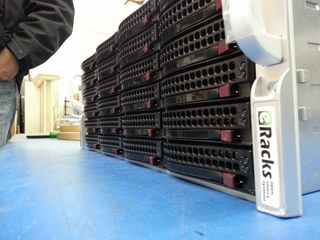
The data storage market in 2026 is doing something unusual: it’s both growing fast and getting cheaper per terabyte at the same time. Global storage requirements are projected to nearly double by 2029, hitting roughly 20,000 exabytes. The NAS hardware market alone is forecast to grow from $55B today to $173B+ by 2034 – a 15.5% CAGR. And while all that’s happening, 30TB+ enterprise SATA drives have become genuinely mainstream, with retail prices that put petabyte-scale on-premise storage within reach of mid-sized organizations for the first time.
Meanwhile, the cloud-storage decade is hitting a wall. Egress fees on AWS, Azure and GCP have only gone up. Ransomware losses keep climbing. Healthcare, legal, finance, and government buyers are all asking the same question they used to leave for the IT department: where, exactly, is our data? The answer “somewhere in us-east-1” doesn’t satisfy a HIPAA auditor, a SOC 2 attestation, or a court order anymore.
The on-premise comeback is a hardware story
For years, the argument against running storage in your own rack was capex vs opex – “cloud is cheaper because you don’t buy hardware.” That math has flipped for any organization storing more than a few hundred TB. A 36-bay NAS loaded with 24TB drives gives you nearly a petabyte of raw storage for the price of about 8-10 months of equivalent S3 storage at production-tier rates – and the hardware keeps working for 5-7 years after that.
Three things made it flip:
- HDD prices at historic lows. 28TB and 30TB enterprise drives now sell for under $20/TB. A decade ago, that was 2TB-drive territory.
- ZFS and modern Linux file systems matured. ZFS in particular – with built-in checksumming, snapshots, replication, and dedup – has become the default storage layer for serious on-premise deployments. No vendor lock-in, no licensing tax.
- Cloud egress is the new vendor lock. Pulling 100TB out of S3 to migrate workloads costs more than the hardware that would store it locally for 5 years.
The eRacks NAS lineup
Our rackmount NAS line covers everything from a small workgroup file server to true petabyte-scale storage chassis. All ship with real Ubuntu Linux (your choice of file system – ZFS, XFS, or Btrfs), enterprise components (ECC RAM, redundant power supplies, hot-swap bays), and zero proprietary management software. The OS is yours, the data is yours, the hardware is yours.
| Model | Form | Bays | Max Raw | Starting |
|---|---|---|---|---|
| NAS4 | 1U | 4 | 144TB | $1,895 |
| NAS6 | 2U | 6 | 180TB | $2,795 |
| NAS8 | 2U | 8 | 240TB+ | $3,695 |
| NAS12 | 2U | 12 | 360TB | $4,695 |
| NAS16 | 3U | 16+2 | 288TB | $6,595 |
| NAS24 | 4U | 24 | 720TB | $8,995 |
| NAS36 | 4U | 36 | ~1PB | $10,495 |
| NAS50 | 9U | 50 | 1.3PB | $13,595 |
| NAS60 | 4U | 60 | ~2PB | $15,995 |
| NAS72 | 4U | 72 | 1.5PB+ | $19,995 |
| NAS100 | 4U | 102 | 2.6PB | $24,995 |
Starting prices are barebones (chassis, motherboard, PSU); add drives, RAM, OS choice at configuration. Custom builds welcome.
What you actually run on it
Because we don’t ship a proprietary OS, you get to pick the storage stack that matches your workload. Common combinations our customers deploy:
- File systems: ZFS (default for most deployments), XFS, Btrfs
- NAS / file sharing: TrueNAS, OpenMediaVault, Samba, NFS, iSCSI
- Distributed storage: Ceph, BeeGFS, MooseFS, LizardFS – for multi-node clusters and HPC workloads
- Object storage: MinIO (S3-compatible) – increasingly popular as a local target for AI/ML training datasets
- Private cloud: NextCloud, Seafile, OwnCloud, Proxmox VE, CloudStack
- Backup & sync: Bacula, BorgBackup, restic, rsync, Duplicati
Pre-installed and tested before shipping, or shipped bare for you to provision however you like – your call at order time.
Who’s actually buying these in 2026
Six segments dominate our NAS pipeline this year:
- SMBs and mid-market IT trying to escape per-GB cloud bills that have crept past the cost of hardware ownership
- Media and production companies with growing 4K/8K video libraries (one production house can fill a 720TB NAS24 in a year)
- Healthcare and medical practices with HIPAA and patient-data sovereignty requirements that rule out major cloud providers
- Legal firms archiving case files, depositions, and discovery materials that simply cannot leave the building
- AI/ML teams needing local high-speed datasets for training – typically pairing a NAS24 or NAS36 with our AI server line for the GPU compute side
- MSPs and IT consultancies building private cloud infrastructure for clients who want SaaS economics without surrendering data ownership
What we don’t do
We don’t build consumer NAS appliances. There’s no fancy iOS app to manage your photos. We don’t license a proprietary OS or lock you into a vendor ecosystem. If you want a four-bay desktop box with a slick web UI for your home media collection, we’re not your shop – and that’s fine, lots of good vendors serve that market.
What we do build: enterprise rackmount storage on standard Linux, configurable to your exact spec, that you fully own and can replace any component on. The same approach we’ve taken since 1999.
Get the configuration right
Drive count, RAID level, networking (10/25/100GbE), RAM (1GB per TB is the rule of thumb for ZFS), and OS choice all matter. Reply to this post or hit our contact page with rough requirements and we’ll spec it for you – usually same day.
joe April 8th, 2026
Posted In: Backups, Linux, Open Source, Rackmount Servers, servers, Storage
Tags: backup, ceph, Cloud Storage Server, eRacks, eRacks signature service, eRacks/NAS24, eRacks/NAS36, eRacks/NAS50, MooseFS, NAS, NAS24, NAS36, NAS50, NAS72, Privacy, Rackmount, sata